A.I. Architecture: Free Design Tools, AI Floor Plans and Renders (2026)
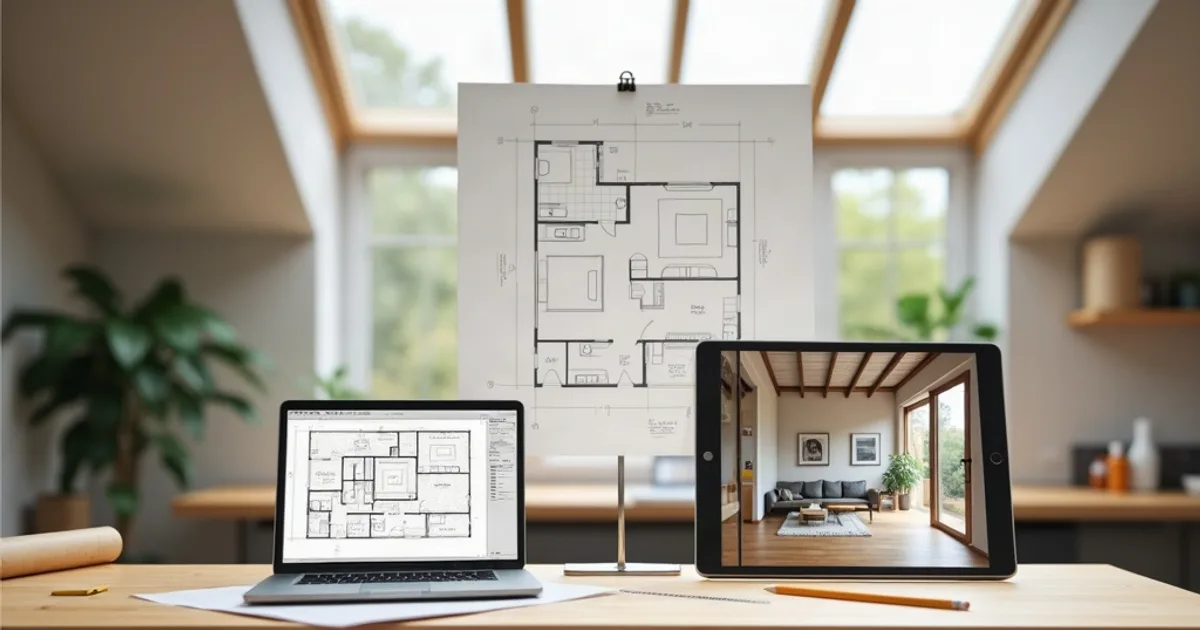
A.I. architecture pays off today when AI works on top of a design you control: model the building in a free design tool, then let an AI renderer turn a screenshot into a photorealistic image in seconds. The term gets used for very different things: text prompts that invent buildings, AI floor plan generators that propose layouts, and renderers that dress up your own model. Each one solves a different problem, and only some of them produce something you can present as your project.
Last updated: October 2026.
This guide sorts the main types of AI architecture tools, lists free architecture design tools worth pairing with them, explains what a free AI floor plan generator can and can't do, and walks through a low-cost workflow using PromptRender.
- AI architecture tools fall into four groups: text-to-image concept generators, AI floor plan generators, model-based AI renderers, and AI features inside CAD/BIM software.
- Free design tools like SketchUp Free, Blender and FreeCAD cover the modeling; an AI renderer handles the photorealistic image.
- AI floor plan generators suggest layouts, but every plan still needs an architect's check for dimensions, structure and code.
- PromptRender renders a 3D view or a floor plan screenshot in 4K: free to try (1 render + 1 edit), then $1/render or $24/month for 200 credits.
What “A.I. Architecture” Means in Practice
Almost every AI architecture tool runs on an image or language model. The useful difference between them is the input they expect and how much of your design survives into the output.
1. Text-to-image concept generators
You describe a building in a sentence and get striking images back. They are excellent for mood boards, competition atmospheres and early brainstorming. The catch: the building is invented, so the massing, openings and site will not match anything you have drawn.
2. AI floor plan generators
You enter a room list, a plot outline or a rough sketch, and the tool proposes one or more layouts. They are handy for testing a brief quickly or exploring options for a small house or apartment. Output quality varies a lot, and the plans are a starting point rather than a buildable drawing.
3. Model-based AI renderers
You upload a view of your own 3D model (or a top-down plan) and the AI adds materials, lighting, vegetation and context while keeping your geometry and camera. This is the category for client presentations and design reviews, because the image shows the project you actually designed. PromptRender belongs here.
4. AI features inside CAD and BIM software
Design platforms are adding AI assistants for tasks like generating options, tagging or automating repetitive steps. They help if you already pay for that software, but they are rarely free and they are tied to one ecosystem.
Comparison: Which AI Architecture Tool Fits the Job
| Tool type | Input | Keeps your design? | Best for |
|---|---|---|---|
| Text-to-image generator | Text prompt | No | Mood boards, early ideas |
| AI floor plan generator | Room list, plot or sketch | It proposes one | Testing a brief, layout options |
| Model-based AI renderer | 3D view or floor plan screenshot | Yes | Client presentations, design reviews |
| AI inside CAD/BIM | Your project file | Yes | Automation inside one platform |
Free Architecture Design Tools to Pair with AI
You don't need an expensive license to start. These free tools cover modeling well enough to feed an AI renderer:
- SketchUp Free: the browser version of SketchUp, for personal and non-commercial use. Fast massing and simple interiors. See our SketchUp integration.
- Blender: free and open source, with full modeling tools. Steeper learning curve, but no limits on commercial use. See the Blender integration.
- FreeCAD: free and open source, with a BIM workbench for walls, slabs and openings if you prefer a drawing-based approach.
- Hand sketches and 2D plans: a clean floor plan export from any CAD program also works as input for a top-down render.
Any of these, plus a screenshot, is enough for PromptRender. It runs in the browser, so it works next to whatever modeler you choose, on Mac, Windows or Linux.
What a Free AI Floor Plan Generator Can (and Can't) Do
Free AI floor plan generators are good at fast options: give them a list of rooms and rough sizes and they arrange them in seconds. Free tiers commonly cap the number of plans, export resolution or editable formats, so check what you can download before investing time.
What they don't handle for you:
- Structure, wall thicknesses and services
- Local building codes, egress and accessibility rules
- Site orientation, daylight and the client's real priorities
To be clear about our own tool: PromptRender does not generate floor plans. It renders a plan you already have. Choose Top View, upload the plan, and you get a furnished, photorealistic top-down image that makes the layout easy for a client to read.
A Low-Cost A.I. Architecture Workflow, Step by Step
- Model the essentials in a free tool: massing, openings, roof, main interior walls. Basic colors per material help the AI read surfaces.
- Set up the view: eye-level for exteriors (around 1.6 m), a corner view for interiors, or a clean top-down view for a plan.
- Screenshot and upload to PromptRender. Pick Exterior or Interior, then 3D Model or Top View, then Sunrise, Noon, Sunset or Night lighting.
- Describe what the model doesn't showin a short prompt: “board-formed concrete, timber cladding, native grasses, overcast sky.” An optional reference image steers the style.
- Refine with edits: swap a material, remove an object, or resize the image for a slide or social post, without regenerating the whole scene.
Where AI Helps Architects, and Where It Stops
- Great for concept options, client reviews and proposals that need a 4K image today
- Great for small studios without a GPU workstation or a dedicated visualizer
- The AI can reinterpret small details, so review every render before it goes out
- It produces images and short videos, not live previews, navigable walkthroughs, VR or 360° panoramas
On video: PromptRender can animate one render into a 5-second clip, or join up to 8 renders into a walkthrough video with AI camera moves, an optional logo intro and music. Each 5-second clip costs 10 credits and needs a Pro plan or purchased credits. It does not fly a camera path through your 3D model.
What It Costs
- Free: 1 render + 1 edit, no credit card
- Pay-as-you-go: $1 per render, credits never expire
- Pro: $24/month for 200 credits, which covers 50 renders or edits (4 credits each; object removal costs 2)
Every plan outputs 4K and runs fully in the cloud, so a free modeler plus PromptRender is a complete visualization setup with no GPU to buy.
Frequently Asked Questions
What is A.I. architecture?
It is the use of AI tools in architectural work: generating concept images, proposing floor plan layouts, rendering 3D models photorealistically, and automating steps inside CAD or BIM software. The most reliable use today is rendering a design you already modeled.
Are there free architecture design tools that work with AI?
Yes. SketchUp Free, Blender and FreeCAD are free modelers, and a screenshot from any of them can be rendered in PromptRender, which includes 1 free render and 1 free edit with no credit card.
Is there a free AI floor plan generator?
Several tools offer free tiers that propose layouts from a room list or sketch, usually with limits on exports. Treat the result as a draft for an architect to check. PromptRender does not generate plans, but it can render an existing plan with its Top View mode.
Can AI replace an architect?
No. AI speeds up options and visuals, but it doesn't take responsibility for structure, codes, budgets or the client relationship. It works best as a tool in an architect's hands.
Also see: SketchUp screenshot to photorealistic render with AI and the best AI architectural rendering software in 2026.