Best V-Ray Alternative for Architects (2026): 7 Tools Compared
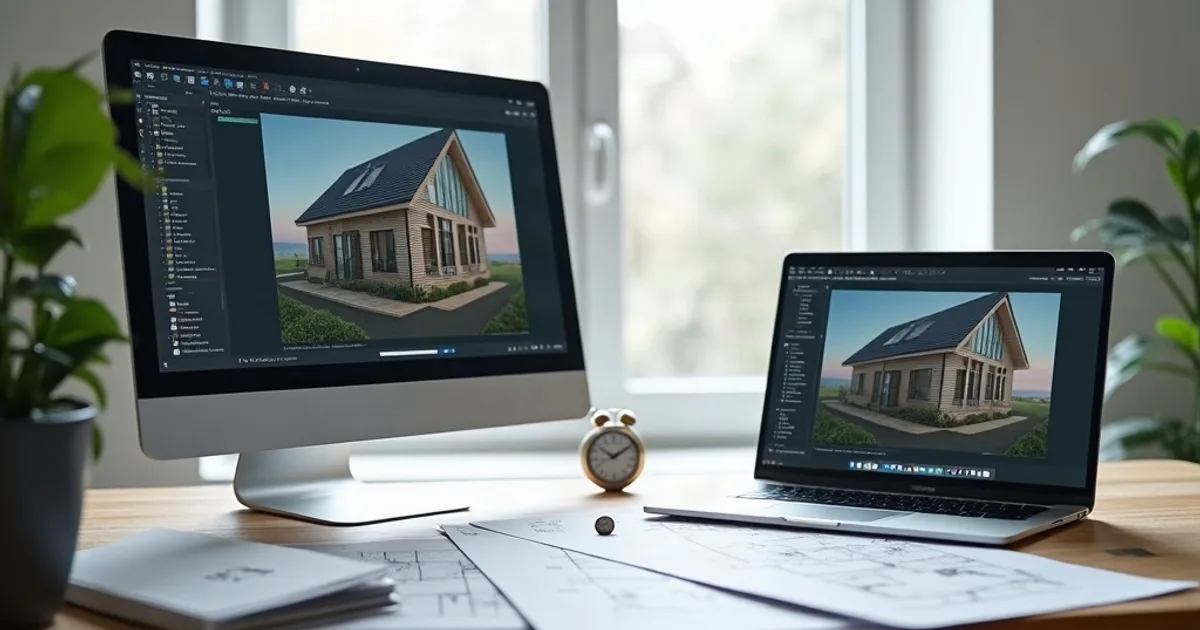
The best V-Ray alternative depends on why you are leaving: PromptRender for photorealistic stills in seconds with no GPU, Corona Renderer as the closest drop-in replacement (especially for interiors), and Twinmotion or Blender if you want a free option. V-Ray has been the industry standard for photorealistic architectural rendering for over two decades. It integrates with SketchUp, Rhino, 3ds Max, Revit, and several other 3D applications, and its output still sets the benchmark. But the subscription cost, setup complexity, and long render times push many architects to look for a V-Ray alternative.
This guide compares the 7 best V-Ray alternatives in 2026, with pricing, learning curve, and who each one is for: from AI tools that need no setup at all to free open-source options with comparable output quality.
- V-Ray is the industry standard for photorealistic architectural rendering, but its subscription cost, setup complexity and render times lead many architects to look for alternatives.
- This guide covers the 7 best V-Ray alternatives in 2026, from AI tools that need no setup to free open-source options.
- PromptRender is best for fast stills without a render engine, Corona Renderer for interiors, Enscape for live feedback while modeling, D5 Render as the affordable GPU option, Twinmotion as the free one, and Blender (Cycles) for full control at no cost.
What is V-Ray?
V-Ray is a ray tracing render engine developed by Chaos Group. It simulates light physics with high precision: materials, reflections, shadows, global illumination, producing photorealistic images used in architecture, interior design, and product visualization. Its accuracy is unmatched, but that same complexity makes it difficult to master and expensive to maintain: subscriptions run $60–$80/month per seat, and a complex interior render can take 20–60 minutes.
Why Architects Look for V-Ray Alternatives
- Cost:V-Ray subscriptions run $60–$80/month per seat depending on the host application. For solo practitioners or small firms that don't render daily, this is significant overhead
- Render times: High-quality V-Ray renders require substantial CPU or GPU time. Even on modern hardware, a complex interior render can take 20–60 minutes
- Learning curve:V-Ray's material system, lighting setup, and render settings are powerful but complex. Getting polished results consistently requires real expertise
- Plugin fragility: V-Ray ties to specific versions of your 3D software. Upgrading SketchUp or Rhino can require waiting for a compatible V-Ray release
- Overkill for presentation stills: Many architects use V-Ray primarily for client presentation images: a use case where newer tools offer near-comparable quality at a fraction of the time and cost
1. PromptRender: Best for Fast Photorealistic Stills Without a Render Engine
PromptRender completely sidesteps the traditional render engine workflow. Instead of setting up lights, materials, and render settings inside your 3D software, you take a screenshot of your model and upload it to PromptRender. The AI generates a photorealistic 4K render in under 60 seconds, preserving your camera angle: no render engine, no GPU time, no setup.
For architects whose primary use of V-Ray is generating presentation stills from existing 3D models, PromptRender replaces that workflow entirely. The quality is photorealistic and consistent, the speed is dramatically faster than an offline render, and the cost is a fraction of a V-Ray subscription.
Pricing vs. V-Ray:PromptRender's pay-as-you-go plan is $1 per render. The Pro plan is $24/month for 200 credits (50 renders or edits). A V-Ray subscription for a single seat costs more per month than PromptRender Pro, and PromptRender requires no GPU investment and no render time. Our PromptRender vs. V-Ray comparison breaks down where a render engine's material control still earns its cost.
- Advantages:No hardware required, renders in seconds, works from any device and any 3D software, fraction of V-Ray's cost
- Limitations: No physical material control, not suited for product visualization or complex lighting simulations
- Pricing: Free to start, $1/render, $24/month (50 renders)
- Hardware requirement: Any device with a browser: no GPU needed
Try PromptRender free. 1 free render, no credit card required.
2. Corona Renderer: Best V-Ray Alternative for Interior Architecture
Corona Renderer, now owned by Chaos (the same company as V-Ray), is widely considered the most direct V-Ray alternative. It uses a similar physically-based rendering approach but is significantly easier to set up and produces excellent results with less configuration. Corona is particularly strong for interior architectural renders: soft, natural lighting is one of its signature strengths. It runs as a plugin for 3ds Max and Cinema 4D.
- Advantages: Simpler interface than V-Ray, excellent interior lighting, LightMix for post-render light adjustments, integrated material library
- Limitations: Only available for 3ds Max and Cinema 4D, slower than GPU rendering
- Pricing: Annual subscription per seat
- Hardware requirement: CPU rendering (any modern machine) or GPU (NVIDIA)
3. Enscape: Best for Live Visual Feedback During Modeling
Enscape doesn't compete with V-Ray at the extreme quality end, but it offers something V-Ray can't: live rendered feedback while you model. As a plugin for SketchUp, Revit, Rhino, and ArchiCAD, it shows a rendered preview of your model in real time during the design process. For architects who prioritize design iteration speed over extreme photorealism, Enscape is a practical alternative.
- Advantages: Seamless integration with the modeling workflow, low learning curve, built-in walkthroughs and VR output
- Limitations: Interior lighting less precise than V-Ray, limited material customization, Windows only
- Pricing: ~$508/year per seat
- Hardware requirement: Dedicated NVIDIA or AMD GPU
4. D5 Render: Best Affordable GPU-Based Alternative
D5 Render has emerged as a strong alternative to both V-Ray and Lumion, with a capable free plan and paid tiers priced below the market leaders. It supports direct sync with SketchUp, Revit, Rhino, and others. Visual quality, particularly for interior lighting and material rendering, is genuinely competitive.
- Advantages: Capable free plan, high rendering speed, modern interface, direct sync with major 3D software
- Limitations: Requires a high-end GPU, export/import workflow can be cumbersome with some software
- Pricing: Free plan available; paid plans below V-Ray pricing
- Hardware requirement: Dedicated GPU (NVIDIA RTX recommended)
5. Lumion: Best for Faster Architectural Workflows
Where V-Ray demands technical expertise to get good results, Lumion is specifically designed for architects who want great-looking renders without render engine complexity. Lumion is a standalone application: you import your model, add materials from its asset library, adjust lighting, and render. The workflow is fundamentally faster than V-Ray.
Lumion doesn't match V-Ray at the extreme high end. Very detailed material work or complex lighting simulations will show a quality difference. But for typical architectural presentation stills and walkthroughs, Lumion produces excellent results with far less effort.
- Advantages: Easy to learn, extensive asset and vegetation library, LiveSync with 3D software, excellent for exterior scenes
- Limitations: High cost, interior precision issues, Windows only
- Pricing: Annual subscription
- Hardware requirement: High-end dedicated GPU (NVIDIA RTX)
6. Twinmotion: Best Free Alternative
Twinmotion (Epic Games) is free for qualifying studios and produces high-quality visualizations powered by Unreal Engine. It's not trying to replicate V-Ray's offline precision. Instead, it trades ultimate quality for real-time feedback and free access for small studios.
For architects primarily producing client presentation stills and walkthroughs (rather than high-end visualization work), Twinmotion delivers excellent results at zero cost. The Direct Link plugins connect Twinmotion to Revit, SketchUp, ArchiCAD, and Rhino, keeping your modeling workflow intact.
- Advantages: Free for qualifying studios, VR support, good speed-quality balance, macOS compatible
- Limitations: Game-engine aesthetic, occasional stability issues, requires GPU
- Pricing: Free for qualifying studios; paid license above revenue threshold
- Hardware requirement: Dedicated GPU (mid-range minimum)
7. Blender (Cycles): Best Free Alternative with Full Control
Blender is a completely free, open-source 3D creation suite with its own physically-based render engine: Cycles. In terms of image quality, Cycles can compete directly with V-Ray, and it costs nothing. The active Blender community continuously produces materials, tutorials, and add-ons.
The real barrier is the learning curve: Blender is a complex tool, and the workflow differs significantly from standard architectural software. It's not a plug-and-play V-Ray replacement, but for teams willing to invest time in learning it, it offers the best value-to-quality ratio in the market.
- Advantages: Completely free, V-Ray-comparable render quality, maximum flexibility, large community with abundant resources
- Limitations: Very steep learning curve, not the standard in architecture firms, different workflow from SketchUp/Revit
- Pricing: Free (open source)
- Hardware requirement: CPU (any machine) or GPU for accelerated rendering
Quick Comparison: V-Ray vs. Alternatives
| Tool | Type | Learning Curve | GPU Required | Starting Price |
|---|---|---|---|---|
| PromptRender | AI cloud rendering | None | No | $0 (free tier) |
| V-Ray | Offline plugin | High | Optional | ~$60–80/month |
| Corona Renderer | Offline plugin | Medium | Optional | Annual per seat |
| Enscape | Real-time plugin | Low | Yes | ~$508/year |
| D5 Render | Standalone | Low–Medium | Yes | Free plan / paid |
| Lumion | Standalone | Low | Yes | Annual subscription |
| Twinmotion | Standalone | Medium | Yes | Free (qualifying) |
| Blender | Standalone | Very high | Optional | Free |
Frequently Asked Questions About V-Ray Alternatives
Is V-Ray free?
No. V-Ray is a paid subscription that runs $60–$80/month per seat depending on the host application. A 30-day free trial is available.
Can Blender replace V-Ray?
In terms of image quality, yes, Blender's Cycles engine can match V-Ray output. The barrier is workflow: Blender has a steep learning curve and doesn't natively integrate with SketchUp or Revit the way V-Ray does. For teams willing to invest time in learning it, Blender is a fully valid and free alternative.
What is the easiest alternative to V-Ray?
PromptRender requires zero configuration: upload a screenshot of your model and get a photorealistic render in seconds. For presentation stills, it's the lowest-friction option. If you need real-time rendering inside your 3D software, Enscape has one of the lowest learning curves in the market.
Does V-Ray work on Mac?
V-Ray for SketchUp and V-Ray for Rhino support macOS. However, several versions (like V-Ray for 3ds Max) are Windows-only. If you work on Mac, PromptRender and Twinmotion are alternatives with native macOS support.
Which tool is better than V-Ray for exterior renders?
For architectural exterior renders with vegetation, urban context, and natural lighting conditions, Lumion is generally faster and more accessible than V-Ray. Its landscape asset library and atmospheric lighting system are designed specifically for that type of visualization.
Which V-Ray Alternative Should You Choose?
- If you need fast presentation stills with no render engine overhead: PromptRender delivers photorealistic 4K renders in under a minute, from any 3D software screenshot, with no GPU or setup required.
- If you need V-Ray-level quality in 3ds Max with less complexity: Corona Renderer is the closest drop-in replacement.
- If you value live visual feedback while modeling: Enscape integrates directly into your 3D workflow.
- If you need affordable rendering and qualify for the free tier: Twinmotion is excellent, and D5 Render offers a capable free plan.
- If you want maximum quality at zero license cost: Blender with Cycles is completely free with V-Ray-comparable output.
For more context on the architectural visualization software market, see Best AI Architectural Rendering Software 2026.